Every time the phone rings unexpectedly, your stomach drops. Is it the hospital? A neighbour? Your mind runs through worst-case scenarios before you even answer.
This is the reality for millions of adult children whose elderly parents live alone. The worry is constant. Is dad okay? What if mum falls? How would anyone know if something happened?
The good news: there are practical steps you can take to reduce risk, increase your peace of mind, and help your parent stay safely in their own home for longer. This guide covers the main safety concerns, the technology that helps, and how to decide what’s right for your family.
Key takeaways
- Falls are the biggest safety risk for elderly people at home, but smart lighting and sensors can significantly reduce danger
- Technology provides early warning of problems, allowing intervention before emergencies
- Smart monitoring works passively, requiring nothing from your parent after setup
- The right approach balances safety with independence and dignity
- For many families, technology extends the time a parent can safely live at home
The safety concerns that keep families awake
Understanding the actual risks helps you address them effectively. Not every worry requires the same response.
Falls: the biggest single risk
Falls are the leading cause of injury-related death in people over 75 in the UK. Every year, around one in three people aged 65 and over experience a fall. For those over 80, it’s closer to one in two.
The consequences extend beyond the immediate injury. A fall can trigger:
- Fractures, especially hip fractures requiring surgery
- Head injuries
- Loss of confidence leading to reduced activity
- Hospital stays that cause rapid decline
- A move to residential care
The NHS falls prevention guidance explains why falls happen and what reduces risk. Common factors include poor lighting, loose rugs, medication side effects, and reduced balance and strength.
For families, the question isn’t just whether a fall will happen, but what happens next. Can your parent get help quickly? Will anyone know they’ve fallen? These questions keep people awake at night.
We cover fall prevention technology in detail in our guide to reducing fall risks with smart technology.
Medical emergencies
Heart attacks, strokes, breathing difficulties: medical emergencies can happen to anyone. For elderly people living alone, the risk isn’t just the event itself but the delay in getting help.
Traditional pendant alarms address this if your parent can press the button. But many people can’t or won’t:
- They might be unconscious or confused
- They might not be wearing the pendant (many end up in drawers)
- They might resist “making a fuss” even when they need help
Smart monitoring adds a layer that doesn’t depend on your parent taking action.
Household hazards
Everyday home activities become riskier with age:
- Cooking accidents (burns, fires, forgotten hobs)
- Bathroom falls (wet floors, getting in and out of baths)
- Temperature extremes (hypothermia from inadequate heating, overheating in summer)
- Medication errors (missed doses, double doses, expired prescriptions)
- Fire risks (unattended candles, overloaded sockets)
The RoSPA home safety guide for older people covers specific hazards and simple modifications that help.
Cognitive decline
Dementia and other cognitive conditions create particular safety challenges:
- Wandering (especially at night)
- Forgetting to eat or drink
- Leaving appliances on
- Getting lost in familiar places
- Difficulty recognising danger
For families dealing with cognitive decline, the safety calculus changes. What’s acceptable risk for someone with full mental capacity becomes unacceptable when judgement is impaired.
Our guide to smart homes and dementia care covers this topic in depth.
Social isolation and its effects
Loneliness isn’t just unpleasant. It’s a health risk. Studies link chronic isolation to:
- Higher rates of depression
- Cognitive decline
- Cardiovascular problems
- Weakened immune system
- Earlier death
Safety isn’t only about preventing accidents. Ensuring your parent stays connected matters too.
How technology helps keep elderly parents safe
Technology isn’t a replacement for human care. But it provides capabilities that human attention alone can’t match: constant monitoring, immediate alerts, spotting patterns over time.
Motion sensors: understanding daily patterns
Motion sensors placed in key rooms (hallway, kitchen, bathroom, bedroom) detect movement. Over days and weeks, they build a picture of normal activity.
Your dad gets up around 7:30am. He goes to the kitchen, where the kettle sensor shows he’s made tea. He spends the morning moving between living room and bathroom. He’s usually less active after lunch. He goes to bed around 10pm.
This pattern becomes the baseline. When something changes significantly, the system alerts you:
- No movement detected in any room by 9am
- Bathroom sensor showing continuous presence for over an hour
- No activity at all during usually active periods
These alerts let you check in when something seems wrong, not on an arbitrary schedule that might miss problems.
Door sensors: knowing about comings and goings
Sensors on external doors tell you when your parent leaves and returns. This matters for several reasons:
Security. You know if the front door opens at 3am. That might be a confused parent wandering, an intruder, or simply a trip to put out the bins. But you know.
Routine tracking. If your mum usually goes to the shops on Tuesday morning and the door hasn’t opened by noon, that’s worth a check.
Dementia care. For parents at risk of wandering, door alerts provide essential awareness.
Smart lighting: preventing falls
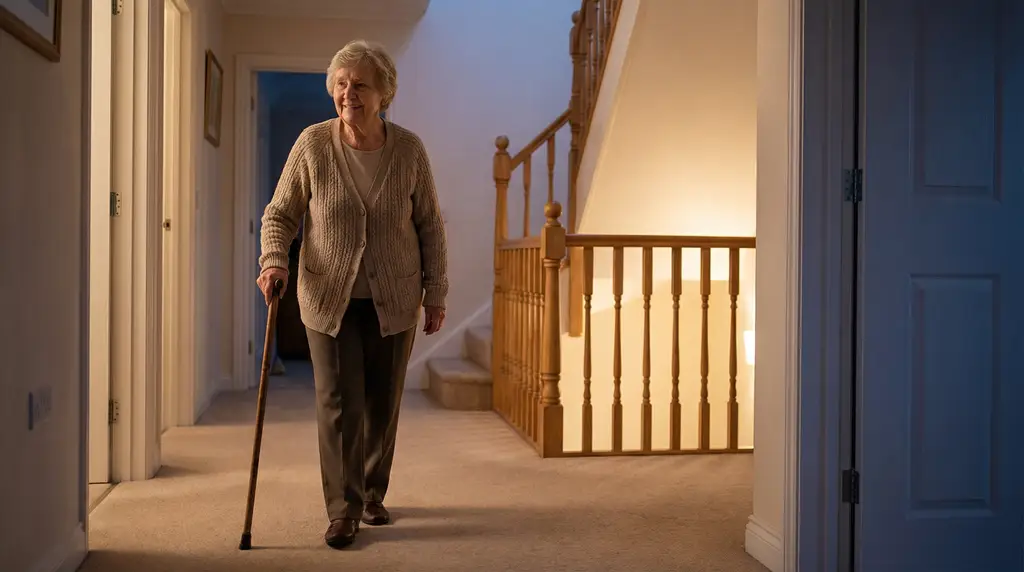
Poor lighting causes falls. Getting up at night to use the bathroom is particularly dangerous: dark hallways, unfamiliar routes, half-asleep fumbling for switches.
Smart lighting solves this:
- Motion-activated lights turn on automatically when someone enters a room
- Pathway lights guide the route from bedroom to bathroom
- Brightness adjusts to avoid dazzling half-asleep eyes
- No switches to find in the dark
This simple change significantly reduces night-time fall risk. Your parent doesn’t need to do anything differently. The technology just works.
Environmental monitoring: temperature and more
Sensors can monitor environmental conditions that affect health:
Temperature. Hypothermia is a real risk for elderly people in winter. If the house drops below safe levels (the NHS recommends at least 18°C), you get an alert. This might mean the heating has failed, or your parent is keeping it off to save money.
Humidity. Extremely dry or humid conditions affect respiratory health.
Smoke and carbon monoxide. Smart detectors do more than make noise. They alert your phone even if you’re miles away, and can even notify emergency services.
Smart plugs: appliance awareness
Smart plugs sit between appliances and wall sockets. They serve two purposes:
Usage monitoring. A plug on the kettle tells you when tea is made. This simple data point confirms your parent is up and doing normal activities.
Safety shutdown. Plugs can turn off appliances after a set time. Forgot the hob was on? It shuts off automatically. Electric heater left running all night? It cuts power after a few hours.
Alert systems: getting the right information to the right people
All this monitoring means nothing if alerts don’t reach someone who can help. Smart home systems let you configure who receives what notifications:
- Routine updates might go to an app you check daily
- Unusual patterns might trigger a phone notification
- Urgent alerts might call multiple family members in sequence
- Critical emergencies might connect to professional monitoring services
The key is getting the balance right. Too many alerts and you’ll ignore them. Too few and you’ll miss what matters. Our guide to smart alerts and peace of mind for families explores this balance in detail.
The passive advantage
The biggest difference between smart monitoring and traditional approaches: your parent doesn’t have to do anything.
Pendant alarms require your parent to:
- Remember to wear the pendant
- Recognise they need help
- Be able to reach the button
- Be willing to press it
Smart monitoring requires your parent to:
- Live their normal life
That’s it. The technology watches patterns in normal activity and notices when something changes. Your parent doesn’t need to learn anything, change behaviour, or remember to use anything.
This matters enormously for adoption. Many elderly people reject devices they have to actively use. Passive systems just work.
Building a safer home: practical steps
Technology helps, but physical changes to the home matter too.
Lighting improvements
- Install bright, easy-to-reach light switches
- Add plug-in night lights in hallways and bathrooms
- Replace low-wattage bulbs with brighter alternatives
- Ensure stairways are well lit from top and bottom
- Consider motion-activated lights for key areas
Trip hazard removal
- Remove or secure loose rugs
- Clear walking paths of cables and clutter
- Ensure furniture doesn’t block natural walking routes
- Repair uneven flooring or loose carpet edges
- Add non-slip mats in bathroom and kitchen
Bathroom safety
- Install grab rails by toilet and bath
- Use a non-slip mat in the bath or shower
- Consider a walk-in shower or bath if getting in and out is difficult
- Raise the toilet seat if needed
- Ensure towels and essentials are within easy reach
Kitchen safety
- Move frequently used items to accessible heights
- Ensure smoke alarms work and are tested regularly
- Consider an automatic hob shut-off if memory is a concern
- Check that electrical sockets aren’t overloaded
- Keep a fire blanket accessible
General home security
- Ensure locks work properly and can be operated easily
- Install a video doorbell so your parent can see visitors without getting up
- Consider a key safe for emergency access by family or services
- Check that windows lock securely
Age UK’s home safety guide covers these modifications in detail.
Choosing the right technology
Not every family needs every piece of technology. The right setup depends on your specific situation.
Questions to consider
What are you most worried about?
If falls are your main concern, prioritise motion sensors and smart lighting. If it’s general wellness, focus on activity monitoring. If it’s emergencies, ensure alert systems are robust.
What’s your parent’s situation?
Someone with dementia has different needs than someone who’s physically frail but mentally sharp. Someone who lives nearby needs different technology than someone whose family is hours away.
What will your parent accept?
The best system is the one your parent will live with. Some people reject anything that feels intrusive. Others welcome visible technology if it helps them stay independent.
What’s your budget?
Costs range from a few hundred pounds for basic systems to over a thousand for comprehensive setups with professional monitoring. More isn’t always better. Match spending to actual needs.
DIY vs professional setup
Basic smart home equipment can be bought and installed yourself. This keeps costs down but means:
- You’re responsible for positioning sensors correctly
- You need to configure alerts and integrations yourself
- Troubleshooting is your problem
Professional setup costs more but provides:
- Expert advice on what equipment you need
- Proper installation in optimal locations
- Configuration tailored to your parent’s patterns
- Ongoing support when things go wrong
For most families, especially those new to smart home technology, professional setup is worth the extra cost. Getting it wrong means the system doesn’t provide the protection you’re paying for.
Monitoring options
Self-monitoring: Alerts come to your phone. You decide how to respond. This works when family members are available and can respond to alerts promptly.
Professional monitoring: A 24/7 response centre receives alerts. Trained staff call your parent, then you, then emergency services if needed. This adds monthly cost but ensures someone always responds.
Hybrid: Different alerts go different places. Routine notifications come to you. Critical alerts also go to professionals.
Most families start with self-monitoring and add professional services if needed.
When technology isn’t enough
Technology extends the time your parent can safely live at home. It doesn’t make home-based living safe forever in all circumstances.
Signs that more intensive support is needed:
Multiple falls despite precautions. If falls keep happening even with good lighting and hazard removal, the risk may be too high for independent living.
Significant cognitive decline. Smart technology helps with early and moderate dementia. Severe dementia requires human supervision that technology can’t provide.
Complex medical needs. Conditions requiring frequent professional intervention don’t suit home-based care for most families.
Unable to meet basic needs. If your parent can’t wash, dress, eat, or use the toilet without help, technology alone won’t provide what they need.
Danger to self or others. Behaviour that creates serious risk (leaving the gas on repeatedly, aggression, wandering far from home) may require residential care.
The decision to move a parent to residential care is never easy. But sometimes it’s the safest option. Recognising this isn’t failure. It’s honest assessment of what’s actually needed. Our comparison of smart home care versus residential care helps you understand when each option makes sense.
Balancing safety and independence
The goal isn’t maximum safety at any cost. It’s appropriate safety that preserves quality of life.
Your parent values their independence. Their home is where they want to be. Taking excessive precautions that make them feel surveilled, restricted, or infantilised isn’t actually in their interest.
Principles for getting this right:
Involve them in decisions. Technology imposed without consent breeds resentment. Technology chosen together respects their agency.
Explain the why. “This sensor lets me know you’re up and about so I don’t have to call every morning” is different from “I’m watching you.”
Start small. You don’t need to install everything at once. Begin with what addresses the biggest concerns and add more if needed.
Respect privacy. Motion sensors don’t record video. Your parent’s privacy remains intact. Make sure they understand this.
Accept some risk. Life involves risk at every age. The goal is reasonable risk management, not risk elimination.
Revisit regularly. What works now might need adjustment as circumstances change. Check in about how things are going.
What happens if something goes wrong
Understanding how the system responds to problems provides reassurance.
Scenario: unusual inactivity
The system notices no motion in any room by 10am. Your mum is normally up by 7:30. What happens:
- The system sends you an alert: “No activity detected since 6:47am.”
- You call your mum. She answers, explains she’s having a lie-in. Everything’s fine.
- Or she doesn’t answer. You have a neighbour check, or call more family members, or contact emergency services.
The system got you information you needed early, before a potential problem became a crisis.
Scenario: a fall
Your dad falls in the bathroom at 2am. He can’t get up. What happens depends on the system:
With passive monitoring: The bathroom sensor shows continuous presence. After an hour, you get an alert: “Unusual duration in bathroom.” You call, he doesn’t answer, you get help to him.
With fall detection: A wearable detects the fall immediately and alerts you. You’re aware within seconds.
Without any monitoring: He lies there until someone happens to check on him. Hours might pass.
Scenario: a health decline
Your mum is getting ill, but hasn’t told you. What the data might show:
- Less movement than usual over several days
- Later rising times
- Reduced kettle usage
- More time in bedroom during the day
This pattern prompts you to check in. You discover she’s unwell and can help before things get serious.
Technology doesn’t replace judgement. It gives you information that helps you use your judgement well.
Getting started
If you’re ready to make your parent’s home safer, here’s how to begin.
Step 1: Assess the situation
What are the actual risks? What does your parent struggle with? What are you most worried about? Our guide to signs an elderly parent needs support can help you evaluate.
Step 2: Talk to your parent
Explain your concerns. Listen to theirs. Discuss options together. Technology works best when your parent understands and accepts it.
Step 3: Address physical hazards
Before adding technology, fix obvious problems. Better lighting, grab rails, trip hazards removed. These make an immediate difference.
Step 4: Choose appropriate technology
Match equipment to actual needs. Consider whether DIY alone or guided setup support suits your situation. Decide on monitoring arrangements.
Step 5: Install and configure
Get everything in place and working. Test alerts to make sure they reach you. Adjust sensitivity so you get important notifications without being overwhelmed.
Step 6: Review and adjust
After a few weeks, check how it’s going. Are alerts useful? Is anything being missed? Does your parent find it acceptable? Make adjustments as needed.
Taking the next step
Keeping an elderly parent safe at home is challenging. The worry is real and the stakes are high. But with the right combination of home modifications, smart technology, and family attention, many parents can live safely and independently for years longer than would otherwise be possible.
Our needs assessment helps you think through your situation and understand what would make the biggest difference for your family.
Or if you’d like to discuss your specific concerns, contact us. We’ll listen to what you’re dealing with, answer your questions, and help you understand your options. No pressure, no obligation. Just an honest conversation about what might help.
Your parent’s safety matters. So does their independence. The right approach protects both.